As an Amazon Associate, we earn from qualifying purchases. Some links on this site are affiliate links at no extra cost to you. Our recommendations are based on thorough research and editorial judgment.

Gaming Posture and Viewing Distance: How They Affect Eye Fatigue

Gaming posture and viewing distance are essential for eye comfort. If we slouch or sit too close to the screen, it can lead to eye strain and discomfort. Ideally, we should sit about 20 to 30 inches away, with our screen at eye level to keep our necks relaxed. Mind-blowing, right? By adjusting our setup, we can greatly reduce fatigue, allowing us to enjoy those long gaming sessions! Stick around to explore tips for optimizing our gaming environment.
Key Takeaways
- Poor gaming posture, like slouching, can contribute to neck and back pain, exacerbating overall discomfort and fatigue during long gaming sessions.
- Maintaining a viewing distance of 20 to 30 inches from the screen helps reduce eye strain and enhances visual comfort.
- Screen positioning at eye level prevents head tilting, which mitigates neck strain and aids in maintaining focus during gameplay.
- Following the 20-20-20 rule can alleviate digital eye strain by allowing the eyes to relax and refocus every 20 minutes.
- Proper lighting in the gaming environment minimizes glare and can significantly reduce the risk of eye fatigue during extended screen time.
The Connection Between Gaming Posture and Eye Health

You may be interested



Hey, have you ever thought about how your gaming posture affects your eye health? It’s so easy to get caught up in achieving those high scores or showing off the latest gaming gear, but bad habits, like slouching or leaning too far forward, can lead to issues with your vision. When you’re hunched over, it can really mess with your focus and give you that annoying eye strain.
To keep your eyes happy while you game, aim for an ergonomic setup. Position your screen about an arm’s length away—roughly 20 to 30 inches—so your eyes don’t have to work too hard. Plus, a good posture helps you maintain a natural blinking rate, preventing dry eyes. For instance, try setting a timer every hour to remind yourself to stretch and refocus your eyes—this little habit can make a big difference. Using UV protection helps safeguard your eyes from harmful rays during prolonged screen exposure.
Identifying Eye Strain Symptoms in Gamers

Hey there! Have you ever wondered if those long gaming sessions are putting any stress on your eyes? Eye strain is a real thing, and a lot of us have felt it—especially after playing for hours on end. You might notice symptoms like blurry vision, dry eyes, or just an overall feeling of discomfort. And it’s not just about what you see; sometimes, you’ll feel neck and shoulder tension too, which is a good sign your posture might need some work.
If you catch yourself with burning eyes or being extra sensitive to light after gaming, those could be symptoms of digital eye strain. That blue light from our screens can really take a toll. To help reduce these effects, try setting your screen about an arm’s length away and at eye level. Simple stuff like that can make a huge difference!
And remember, all that slouching while playing isn’t just tough on your back; it can mess with your vision as well. So, next time you dive into your favorite game, keep your setup in check to keep your eyes feeling good while you play! One great way to lessen eye fatigue is by wearing blue light blocking glasses designed to filter out the harmful rays.
What do you think? Have you tried adjusting your gaming space yet?
How to Alleviate Eye Strain Through Better Posture
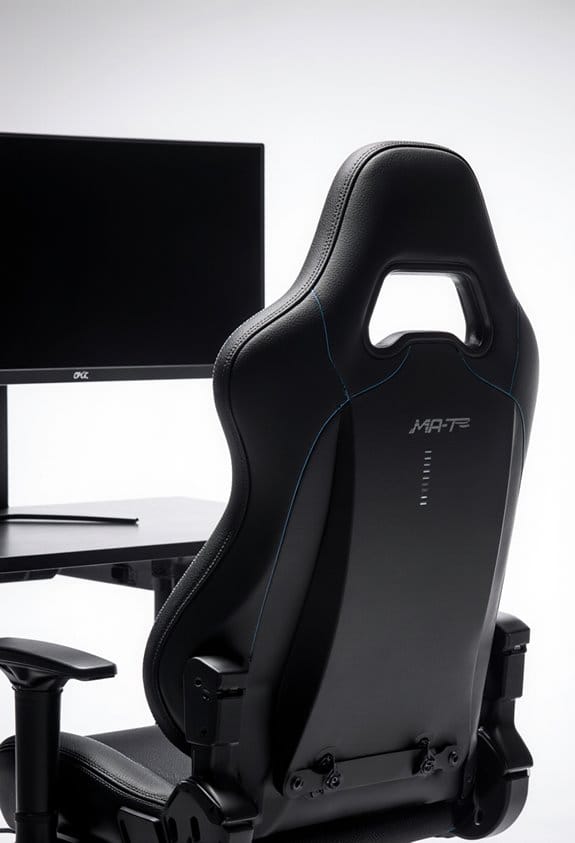
Hey! You know how eye strain can be a real pain, especially when we’re absorbed in gaming for hours on end? Well, adjusting our gaming posture can really help reduce that eye strain. Trust me, it makes a huge difference! Start by planting your feet flat on the floor and supporting your back—this simple adjustment lowers the risk of neck strain and keeps you comfortable during those marathon sessions.
Make sure your screen is at eye level, too. This way, you can gaze straight ahead without tilting your head, which puts less stress on your neck and eyes. Oh, and keep your monitor about an arm’s length away. This distance promotes a relaxed viewing angle and lessens the strain on your eyes. You could even use a tape measure to ensure you’re set up just right!
Don’t forget to check your gaming setup against ergonomic standards every now and then. This helps keep eye fatigue at bay, so you can fully enjoy those epic play sessions without discomfort. Remember, a few small tweaks to your posture can lead to a much more enjoyable gaming experience overall! Additionally, using blue light glasses can further reduce eye strain and protect your eyes during extended screen time.
Recommended Products

The curved design of the wide wooden handrail firmly supports the arm.
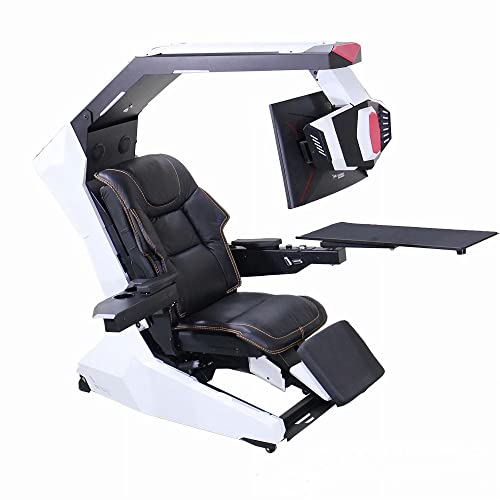
Manually open /close the keyboard tray and right armrests. Whether there is a power outage or not, it can be easier to exit /enter the cockpit at any time.

[RIBBED DESIGN & EXECUTIVE STYLE] Features a sleek, professional design, and the backrest and seat feature a ribbed design with horizontal stitching that creates evenly spaced, padded sections for a textured and contemporary look. The built-in padding provides gentle support along the back and seat, offering a stable and well-defined seating surface.
The Significance of Screen Height and Angle for Eye Comfort
Hey there! You know, the height and angle of your screen can really impact how comfy your eyes feel while gaming. If you keep your screen at eye level, it helps reduce neck strain and promotes good posture, which means you can game for longer without discomfort. Fun fact: tilting your screen back by about 20 to 30 degrees can cut down on glare. This little tweak really helps line up your gaze and can make a noticeable difference in reducing eye fatigue.
It’s also a good idea to sit about 20 to 30 inches away from your screen. This distance lets your eyes engage comfortably without straining against the digital glare. When your screen is at the right height, you won’t have to look up or down too much, which keeps your eye muscles nice and relaxed. Just imagine enjoying your favorite game without feeling like your eyes are about to give out—those small adjustments really do enhance your experience!
Getting comfortable is just the start, though. It’s also key to remember to take breaks every now and then. So, let’s talk about how to create the perfect gaming setup that keeps your eyes happy and your gameplay sharp! Wearing UV protection sunglasses can further shield your eyes from harmful rays during outdoor breaks, promoting overall eye health.
Recommended Products

UNMATCHED CLARITY - Experience stunning visuals on the 31.1" 4K monitor with a native resolution of 4096 x 2160, delivering exceptional detail and sharpness for professional creative work.

Customizable Display: Graphics tablet features 8 ExpressKeys, adjustable on-screen menus, and improved multi-touch and pen gestures; ideal for creative professionals like graphic designers

LUXURIOUS SLATE DESKTOP: The distinctive texture of the natural rock undergoes a refined transformation through the intricate process of fine carving molding, resulting in a stunning effect.The modern trapezoidal legs add to the premium desk's overall aesthetic and give it a contemporary charm that will impress anyone who sees it.
Easy Tips to Boost Your Gaming Setup for Eye Comfort
Hey there! If you’re looking to create a more eye-friendly gaming setup, I’ve got some easy tips that can really help boost your comfort while you play. First things first: aim to keep your screen about an arm’s length away. This distance can really help cut down on eye strain, which is something we all want to avoid during those marathon gaming sessions.
Next up, let’s talk about monitor height. Make sure your screen is at eye level. This small adjustment not only helps you see better but also encourages good neck posture—goodbye, pesky aches! Also, think about getting an anti-reflective screen. It works wonders for reducing glare, especially if you play in a bright room. Pair that with some soft ambient lighting, and your eyes will be much happier.
And don’t overlook your furniture! Investing in an adjustable chair and desk can make a big difference in your comfort levels. It’s all about creating a space that feels good for you. Oh, and remember to take regular breaks. Just a minute to rest your eyes every now and then can really make a difference. Wearing blue light glasses can further reduce digital eye strain and enhance your gaming experience. By keeping these tips in mind, you can tackle that blue light and enjoy gaming without the discomfort. Ready to find more ways to enhance your setup?
Recommended Products

OUR MOST ADVANCED 4K AI PROCESSOR: Powered by 128 neural networks to deliver AI-enhanced picture and optimized sound, resulting in an exceptional 4K experience for streaming, gaming, live sports and more.*

**UNOPENED RETAIL PACKAGING ** Sold as configured by Lenovo. One Year Courier or Carry-in Warranty Included. Add up to 5 years of Premier Support coverage when you register your computer with Lenovo.
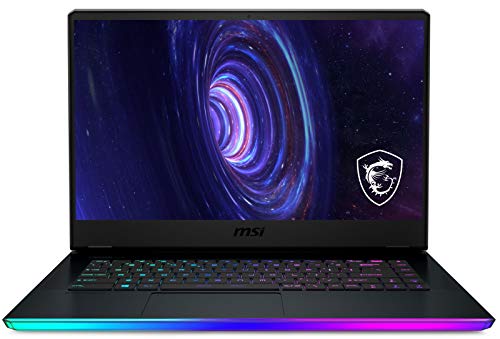
GE66 Raider i7-10870H/RTX3080/ 32GB/1TB NVMe SSD/Win10
Best Practices for Healthy Viewing Distance While Gaming
Hey there! You know, while it’s super tempting to jump right into gaming without a second thought, paying attention to your viewing distance is really important for keeping your eyes happy and comfortable. Aim for a distance of about an arm’s length—so that’s around 20 to 30 inches from your screen. This little tip can make a big difference in reducing eye strain, especially during those marathon gaming sessions.
Also, try to keep your screen at or just below eye level. This helps prevent neck strain and keeps your line of sight natural—no one wants to be looking up at their game for hours! And here’s a handy tidbit: make sure to adjust your screen’s brightness and contrast to fit the lighting in your room. It can help make things way easier on your eyes.
Oh, and I can’t forget to mention the 20-20-20 rule. Basically, every 20 minutes, take a moment to look at something 20 feet away for about 20 seconds. It’s a simple way to fight off eye fatigue and remind yourself to blink more! Incorporating these tips can make your gaming experience not just longer, but way more enjoyable too. Using blue light safety glasses can further reduce eye strain and protect your eyes during extended screen time.
Recommended Products

DELL USA AUTHORIZED - Includes Full DELL USA WARRANTY | Dell UltraSharp U3824DW 38" 3840x1600 60Hz 21:9 5ms IPS Curved Monitor

6K IPS Panel with 99% DCI-P3:500-Nit Brightness,delivers deeper blacks, brighter highlights, and balanced visuals for immersive gaming, HDR content, and professional editing. The advanced IPS panel enhances dark scenes while maintaining 99% sRGB and DCI-P3 color accuracy (ΔE<2), ensuring lifelike details and vibrant colors.

The perfect home computer: with an Intel Processor and up to 12 GB of RAM, your family can surf, stream, work and play with all the power they need
Frequently Asked Questions
How Does Gaming Affect Eyesight?
Gaming can cloud our eye health, with screen glare and blue light casting shadows on our vision. We face visual stress and discomfort, urging us to refine our gaming habits and embrace eye protection and proper display settings.
Can Too Much Screen Time Cause Eye Fatigue?
Yes, too much screen time can cause eye fatigue. We experience eye strain, sensitivity to blue light, and visual discomfort if we neglect our blinking rate, ergonomic setup, and don’t take regular breaks to reduce screen glare.
What Is the 30 30 30 Rule for Eye Strain?
The 30-30 rule helps combat eye strain by having us take 30-second screen breaks every 30 minutes, looking at something 30 feet away. It’s essential for our vision health and enhancing gaming habits for better visual comfort.
Why Do My Eyes Feel Tired After Playing Video Games?
So, we’re not just starring in a horror flick with our tired eyes after gaming? It’s really about gaming eye strain. We need ergonomic setups, game breaks, hydration, and maybe lower that screen brightness, huh?