As an Amazon Associate, we earn from qualifying purchases. Some links on this site are affiliate links at no extra cost to you. Our recommendations are based on thorough research and editorial judgment.


Gaming Headaches: The Most Common Visual Triggers

When it comes to gaming headaches, we often overlook some common visual triggers. Improper screen setup, harsh overhead lighting, and long hours spent in front of blue light screens can wreak havoc on our eyes. Maintaining a screen distance of about an arm’s length and adjusting brightness helps a lot. Plus, if we don’t take breaks, our eyes might feel like they’re on fire! Stick around, and we’ll explore how to manage these challenges better.
Key Takeaways
- Improper screen distance and height can strain the eyes, leading to gaming headaches.
- Harsh lighting and screen glare significantly contribute to visual discomfort during gaming sessions.
- Extended exposure to blue light from screens exacerbates digital eyestrain symptoms.
- High monitor brightness settings can aggravate eye strain and trigger headaches.
- Lack of breaks while gaming increases the risk of developing headaches due to continuous focus.
What Causes Gaming Headaches?

You may be interested


You know how sometimes after hours of intense gaming, you end up with a headache? That’s often caused by gaming headaches, and trust me, it’s more common than you think. One of the biggest reasons for these headaches is digital eyestrain. When we’re glued to our screens, we tend to blink less, and that can make our eyes feel really tired and uncomfortable. This condition, known as computer vision syndrome, affects a lot of gamers.
Another thing to keep in mind is how stress from those thrilling game sessions can trigger tension headaches. Picture this: you’re in a heated match, adrenaline pumping, and that stress releases chemicals in your brain that can lead to discomfort. Plus, if you’re slouching on your couch or at your desk, you could be putting extra strain on your neck, which only intensifies those pesky headaches. Using blue light glasses can help reduce eye strain and minimize the risk of headaches during long gaming sessions.
Common Visual Triggers for Gaming Headaches
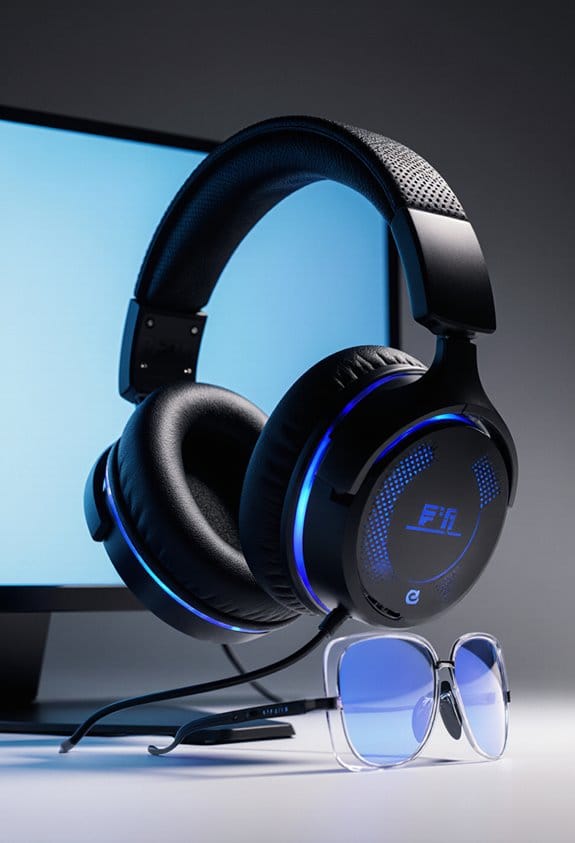
You know how after a marathon gaming session, you can end up with a nagging headache? It’s not just you—those sneaky visual triggers are often to blame! One biggie is how you set up your screen. If your monitor is too close or not at the right height, it can really strain your eyes. Combine that with harsh lighting or annoying glare, and you’ve got a perfect storm for eye discomfort that might send you straight to headache land.
And let’s talk about blue light exposure for a second. We spend so many hours glued to our screens, and that blue light can really lead to what folks call digital eyestrain. If you start feeling blurry vision or dryness in your eyes, that’s your cue to take a break. Try getting up and looking at something far away for a bit—your eyes will thank you! Using blue light blocking glasses can help reduce eye strain and protect against headaches caused by screen exposure.
Recommended Products


TAHOE EDITION: Inspired by crystal-clear water of Lake Tahoe, these GUNNAR glasses represent the pinnacle of engineering and the best optical materials on the market

GUNNAR produces the only blue light blocking computer and gaming glasses with Patented Lens (#9417460) Technology that is recommended by doctors to protect and enhance your vision.
How Stress Affects Gaming Headaches?

You know how stress can come crashing into our gaming sessions like an unexpected boss fight? It’s true! Stress can ramp up tension and even lead to those pesky gaming headaches that nobody wants. When our stress levels skyrocket, our brains react by releasing certain chemicals that can affect our blood vessels, making headaches more likely. So, it’s really important to keep an eye on our stress while we’re immersed in our favorite games, as those high-pressure moments could translate into real pain.
One easy way to tackle this is by taking regular breaks during long gaming sessions. Even just stepping away for a few minutes to stretch or grab a snack can lower that stress and reduce the chances of a headache creeping in. You might also want to try some deep breathing exercises. For example, taking a deep breath in for a count of four, holding it for four, and then exhaling for a count of six can calm your mind and body.
Being aware of what triggers your stress is crucial, too. Maybe it’s those nail-biting match points or the pressure of being on a leaderboard. Recognizing these moments allows you to manage them better, keeping the headaches at bay so you can focus on enjoying your game. After all, the goal is to have fun, not to feel pain!
Recommended Products

Flip-back Reclining Loveseat Sofa (Manual Reclining): The Perfect Living Room Furniture - AOTOLO fabric rv couch is a fantastic addition to your living room furniture collection. Featuring a convenient flip-back table (drop-down table), turning into a temporary functional table for snacks, drinks, a laptop, etc. And it could be taken back when not in use - time to get closer to your loved one in this fabric recliner sofa

INDEPENDENT HEAD AND FOOT INCLINE-Independent Head (0-60 degrees) and Foot (0-45 degrees) Incline. You can easily sit up in bed to watch TV, work on a laptop, or read a book without extra pillows and experience exceptional back support that relieves nerve and joint pressure all night.

Extended Footrest & Anti-Fall Brackets: We added 4.3 inches of extension at the end of the footrest to provide extra support for taller people so you can fully stretch your body. The high quality metal frame has been tested 25,000 times, the motor has been tested 10,000 times and can hold up to 330 lbs on each side, and there are a total of 8 anti-fall brackets in the front and back to enhance the stability of the power reclining sofa by increasing the contact area with the ground
The Role of Dehydration in Gaming Headaches
Hey there! You ever notice how intense gaming can sometimes lead to a pounding headache? It might surprise you, but dehydration is often the sneaky culprit behind those headaches. Just losing 2% of your body weight from not drinking enough water can really mix up your thinking and make you more likely to feel those annoying ache symptoms.
When you’re not properly hydrated, your blood flow takes a hit, which can easily trigger a headache. That’s why it’s super important to keep reminding yourself to drink water while you’re deep into a gaming session. For instance, try to aim for around 8 ounces every hour. It could be as simple as sipping on a water bottle you keep nearby or setting a timer to remind you to take a break and hydrate. Not only will this help with those headaches, but those little hydration breaks can also keep your mind sharp and ready for action. Additionally, wearing blue light glasses during gaming sessions can reduce eye strain and prevent headaches triggered by screen exposure.
How to Manage Light Sensitivity While Gaming?
Hey there! If you’re like me and love gaming, but find yourself struggling with light sensitivity, don’t worry—I’ve got some tips to help you enjoy your games without the strain. First off, adjusting your room lighting is super important. Try matching it to your screen’s brightness. This can really help reduce glare and ease the pressure on your eyes.
Using blue light glasses is another simple way to make long gaming sessions a lot more comfortable. They block some of the harsh light that can make your eyes feel tired. Plus, every 20 minutes, remember to take a quick break: look at something 20 feet away for at least 20 seconds! It’s a quick reset for your eyes.
Another thing to think about is tweaking your screen’s brightness and contrast settings. Lowering these can make a significant difference in how your eyes feel after a few hours of play. And don’t forget about the lighting in your gaming space—keeping it softer can help mitigate those stark contrasts between your screen and surroundings. Wearing blue light glasses with UV400 protection helps block harmful rays and further reduce eye strain. With these tips, you can keep up the excitement of gaming without feeling overwhelmed. Now, let’s talk about some fun game recommendations that are easy on the eyes!
Recommended Products

✅Eyes Moisturizing Effect : Our glasses adds a physical moisturizing silicone ring to slow down the evaporation of moisture in the eyes and effectively solve the problem of dry eyes.The humidity and temperature of the water box can be adjusted by filling the reservoir with water, heating and freezing the Tourmaline.

TRANSFORM YOUR SLEEP & HABITS: The Hack Your Sleep Bundle. Say Goodbye to Sleepless Nights and Bad Habits. Are you struggling with poor sleep and unproductive habits? Our exclusive bundle combines the transformative power of Swanwick Sleep’s Night Swannies and the ‘47 Day Habit Hacker’ program.

Recognizing Symptoms of Gaming-Related Headaches
Hey there! Let’s chat about gaming-related headaches because recognizing those symptoms can make a huge difference for all of us who love gaming. Often, these headaches feel like a dull ache on both sides of your head, and you might even notice your neck feeling a bit stiff. Not the best combo when you just want to enjoy your next gaming session, right?
Keep an eye out for signs of eyestrain too, like having tired or sore eyes after staring at a screen for too long. This can lead to those annoying headaches, especially if you’re battling it out in a game for hours. And, if you start to feel light sensitivity, that could be your cue to step back. Flickering screens or bright lights are definitely not doing you any favors. Using blue light blocking glasses can help reduce eye strain and minimize headaches during extended gameplay.
Top Strategies to Reduce Eyestrain While Gaming
Hey, you know how gaming for hours on end can seriously strain our eyes? Thankfully, there are some great strategies to reduce eyestrain while gaming that we can easily put into practice. One of the easiest methods is the 20-20-20 rule. Every 20 minutes, take a short break — look at something 20 feet away for about 20 seconds. It’s a quick way to give your eyes a mini vacation and really makes a difference!
Another tip is to tweak your screen settings based on your room’s lighting. If it’s too bright or there’s harsh glare, adjusting the brightness and contrast can really help improve visibility. And remember to sit at least an arm’s length away from the screen. This not only keeps your eyes at a comfortable distance but also helps maintain better posture while you’re gaming! If your eyes feel dry, a few drops of artificial tears can really soothe that discomfort.
Also, consider investing in computer glasses with anti-reflective coatings. They can reduce blue light and glare from screens, making your gaming sessions way more comfortable. In particular, wearing yellow tinted blue light glasses can greatly reduce glare and eye strain for extended gaming sessions. So, with these simple tweaks, you can keep your eyes feeling fresh and sharp, letting you focus on what really matters—the game! Speaking of focus, let’s talk about another aspect that can enhance your gaming experience.
Recommended Products
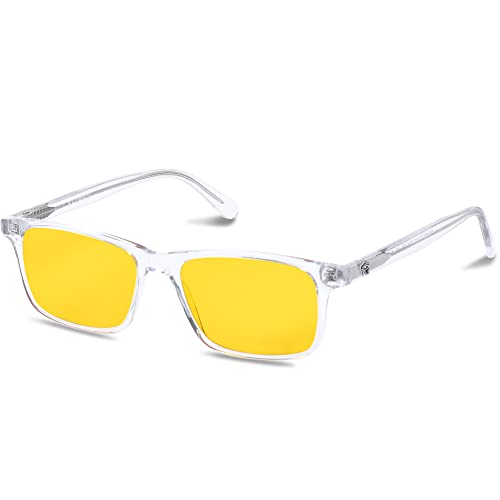
Benefits: Wear Daylight Lenses whenever you are exposed to man-made light sources during the day, whether you are on the computer, at the office, or at school. Eliminate eye strain, headaches, and afternoon fatigue. Calm your mind, boost your focus, and increase your productivity.

CHUTZPAH'D: Chutzpah'd harkens back to one of our most-treasured frames over the past five years, Chutzpah. Its interesting square shape and stand-out patterns provide you with the "Chutzpah" you've always wanted to be recognized for. (That means self-confidence, for those about to Google it.)

SCIENTIFICALLY DESIGNED SLEEP ENHANCEMENT: These specialized Twilight glasses block 98% of sleep-disrupting blue light while allowing beneficial light frequencies to pass through - wear 30-60 minutes before bedtime to naturally trigger melatonin production for deeper, more restorative sleep
Importance of Regular Breaks During Gaming
Hey there! So, you know how easy it is to get caught up in a gaming marathon? While it feels great to get lost in the world of your favorite games, remember that regular breaks during gaming are super important for keeping both your mind sharp and your body comfortable. I mean, have you ever tried the 20-20-20 rule? It’s simple: every 20 minutes, just look at something 20 feet away for 20 seconds. This little trick really helps ease eyestrain and can help prevent those annoying headaches that can pop up during intense gaming sessions.
And let’s chat about hydration for a moment. Taking breaks isn’t just about resting your eyes; it’s also a great reminder to drink some water. Dehydration can sneak up on you and contribute to headaches without you even realizing it. When you pause to refill your glass, you not only keep your body hydrated but also give your brain a moment to reset—a perfect combo for better focus and improved gaming performance! Using blue light blocking glasses during gaming sessions can further reduce eye strain and enhance your overall comfort.
Creating an Ergonomic Screen Setup to Avoid Headaches
Hey there! If you’re looking to avoid those pesky headaches while gaming, setting up an ergonomic screen can make a world of difference. Start by positioning your monitor about arm’s length away—roughly 20 to 30 inches. This distance can help reduce eye strain, which is super important during those long play sessions.
Next, let’s think about the height of your monitor. Aim for the top quarter of the screen to be at or just below eye level. This simple adjustment helps keep your neck comfortable and your eyes aligned without straining. Also, consider how bright your screen is. If the brightness matches the room’s lighting, you’ll cut down on glare, making it easier to see everything clearly without straining your eyes.
And let’s not forget your chair! Using one with good lumbar support and a 120-degree backrest angle can really help you stay comfortable. For instance, you could try adjusting your chair so that your feet are flat on the ground and your knees are at a right angle. That alone can help your posture and keep those headaches at bay.
Wearing blue light blocking glasses during extended screen time can also significantly reduce eye strain and improve comfort.
With these small tweaks, you’re well on your way to enjoying your gaming sessions without discomfort. Next, let’s look at some quick exercises to stretch and refresh your body during those breaks!
Recommended Products

18” UHD+ 4K 200Hz DISPLAY — Enjoy ultra-sharp 4K quality for creative work and high refresh rates for silky-smooth gameplay, backed by 100% DCI-P3 color accuracy that’s Calman Verified for the most lifelike visual

FAST 16” OLED QHD+ 240Hz DISPLAY — Truly designed for the competitive gamer with 0.2 ms response time, featuring a VESA ClearMR 11000 rating and DisplayHDR 500 certified to ensure minimal blurring and vivid colors (1M:1 contrast ration and 100% DCI-P3)

Signs You Should See a Doctor for Gaming-Related Headaches?
Hey there! So, let’s chat about those pesky gaming-related headaches. You know, if your headaches from gaming hang around for more than just a couple of days or happen way too often, it might be a good idea to check in with a healthcare provider. It’s super important to listen to your body. For instance, if you start seeing funky visual effects, feeling a bit confused, or having trouble with coordination, those might be hints that something isn’t right.
Also, if you’re experiencing severe headaches that basic pain meds just won’t touch, that’s definitely something to take seriously. And here’s a big one: if your headaches come with nausea, vomiting, or you’re sensitive to light and sound, especially if it disrupts your everyday life, don’t hesitate to reach out to a doctor. Remember, gaming should be fun and enjoyable, not something that pulls you away from your day-to-day activities!
Speaking of fun, let’s explore some tips on how to game smartly to avoid those headaches in the first place.
Frequently Asked Questions
What Does a Gaming Headache Feel Like?
A gaming headache feels like a heavy fog settling around our temples, as gaming symptoms creep in. We experience sharp bursts of pain, visual disturbances, and fatigue, prompting us to seek effective treatment options and proper pain management.
What Are the 5 C’s for Migraines?
The 5 C’s for migraines—caffeine, chocolate, cheese, citrus, and cold—highlight key causal factors. By understanding these triggers, we can implement preventive measures, explore treatment options, and make lifestyle changes to manage our migraines effectively.
Can Screen Time Cause Visual Migraines?
Yes, we’ve found that screen time can indeed cause visual migraines. Factors like screen glare, prolonged eye strain, poor color contrast, and low refresh rates all contribute to this uncomfortable experience for many of us.
What Is a Cervicogenic Headache From Gaming?
Imagine a tree bending under the wind—cervicogenic headaches stem from poor gaming posture. We experience cervical strain symptoms, but with tension relief techniques and proper gaming equipment adjustments, we can stand tall and game pain-free.