As an Amazon Associate, we earn from qualifying purchases. Some links on this site are affiliate links at no extra cost to you. Our recommendations are based on thorough research and editorial judgment.


A Better Gaming Setup for Your Eyes: Lighting, Distance, and Breaks

When we’re gaming, keeping our screens about an arm’s length away is key—around 3 to 5 feet for a 24-inch monitor and 4 to 6.5 feet for a 32-inch display. Good lighting, ideally around 6500 Kelvin, can boost our eye comfort while reducing glare. Don’t forget the 20-20-20 rule: every 20 minutes, let’s look at something 20 feet away for 20 seconds. Together, these simple steps can really improve our gaming experience. Stick around for more tips on optimizing our setups!
Key Takeaways
- Maintain an optimal screen distance of 3 to 5 feet for a 24-inch monitor and 4 to 6.5 feet for a 32-inch display.
- Utilize ambient lighting around 6500 Kelvin to reduce glare and enhance eye comfort during gaming sessions.
- Follow the 20-20-20 rule: every 20 minutes, look away at something 20 feet away for 20 seconds to alleviate eye strain.
- Take breaks every 40 to 50 minutes to refresh your eyes and incorporate gentle eye exercises to relieve discomfort.
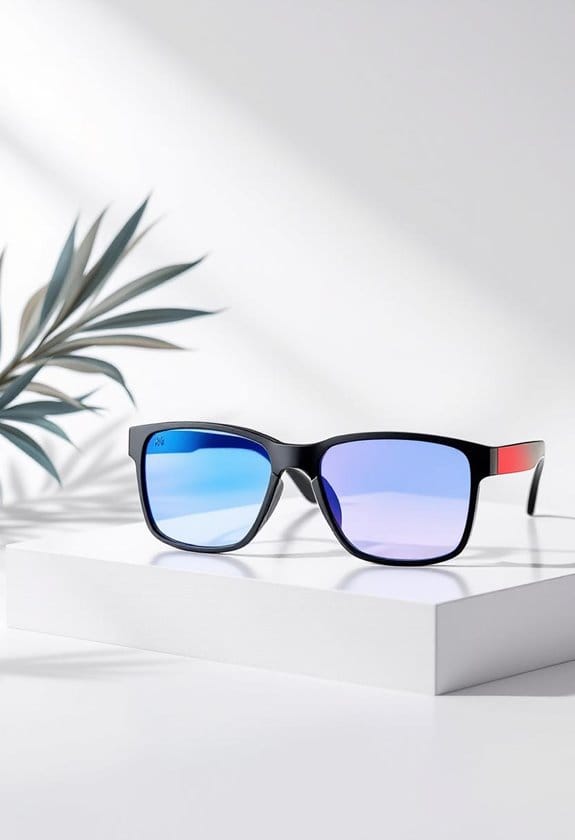
- Consider using blue light glasses to protect against eye strain and ensure a comfortable gaming experience.
Understanding the Importance of Screen Distance in Gaming

You may be interested


Hey there! You know, when we talk about the world of gaming, one surprising factor that can seriously affect how we play is the screen distance. If you’re sitting too close to your monitor, you might end up straining your eyes—definitely not what you want during a marathon session. For a 24-inch monitor, the sweet spot for distance is usually between 3 to 5 feet. This spacing really helps to keep your eyes comfortable while you’re lost in your favorite game.
Now, if you’ve got a bigger setup, like a 32-inch display, you’ll want to sit about 4 to 6.5 feet away. That extra space can not only protect your vision but also improve your overall gaming experience. Plus, if you wear glasses, tweaking your screen distance can really help cut down on glare, making everything clearer and more enjoyable. So next time you sit down to play, take a moment to adjust your distance. It could make all the difference!
And speaking of comfort, let’s chat about how your gaming chair plays a role in keeping you feeling great while you play! Using blue light glasses can also reduce digital eye strain during long gaming sessions.
Recommended Products

QD-MINI LED: TCL's QD-Mini LED combines the merits of QLED and OLED technologies, transforming the traditional backlight into lighting that is close to pixel-level precision.

Customizable Display: Graphics tablet features 8 ExpressKeys, adjustable on-screen menus, and improved multi-touch and pen gestures; ideal for creative professionals like graphic designers

[Exquisite light luxury]:Experience the luxurious beauty of the EUREKA Electric Standing Executive Office Desk. With a Snowflake White Rock Slab top made of hard rock, this desk is elegant and luxurious,adding elegance to your office space,making it the perfect addition to any executive's office.The modern trapezoidal legs add to the premium desk's overall aesthetic and give it a contemporary charm that will impress anyone who sees it.
The Role of Lighting in Eye Comfort During Gaming

Hey, have you ever thought about how lighting can really impact your eye comfort while gaming? A lot of us focus on our gear and graphics, but the lighting in your gaming space is super important too! Good ambient lighting can significantly cut down on glare and reduce the stark contrast you see on the screen, making it easier on your eyes during those marathon gaming sessions.
One easy fix is to use adjustable light fixtures that let you change the brightness based on how bright your screen is. This not only helps with eye strain but can also make your whole gaming experience more enjoyable. For example, think about putting some soft, neutral lights behind your monitor—that’s called bias lighting. It softens the contrast and makes everything feel a bit more comfortable and cozy.
Aim for a color temperature of around 6500 Kelvin, which closely mimics natural daylight. This is especially helpful in rooms that might be a bit dim. Plus, periodically adjusting your screen’s contrast and brightness to align with your room’s lighting can work wonders for your eyes. Trust me, you’ll notice a difference! To further protect your eyes from strain, you might consider wearing yellow tinted blue light glasses designed to reduce glare and enhance visual clarity.
Recommended Products

27” UHD (3840 x 2160) Nano IPS Display.Mounting Type: Wall Mount.Response time:1.0 milliseconds.Specific uses for product - Gaming.Contrast Ratio - 1000:1

31.5" QHD (2560 x 1440) Display - watch games come to life with vibrant QHD clarity and detail

Sync your LIFX lights with razer Chroma and extend the gaming experience beyond the screen and into the user’s room with responsive lighting effects triggered by events in the game.
How Regular Breaks Can Improve Eye Health During Gaming

Hey there! You know, we’ve talked a lot about how important lighting is for keeping your eyes comfy while gaming, but I want to highlight something that can really make a difference: taking regular breaks. Seriously, have you heard of the 20-20-20 rule? It’s super simple! Every 20 minutes, just glance at something 20 feet away for about 20 seconds. This little habit can help cut down on any eye strain you might feel from staring at the screen.
But here’s where it gets even better—aiming for breaks every 40 to 50 minutes can really help keep your eyes feeling fresh and focused. Try standing up and stretching a bit or doing some gentle eye exercises to relieve that dryness and discomfort from screen glare. You’ll be surprised at how these short breaks can keep you gaming longer without feeling tired. Additionally, using polarized lenses can protect your eyes from glare and reduce strain during prolonged screen time.
Recommended Products
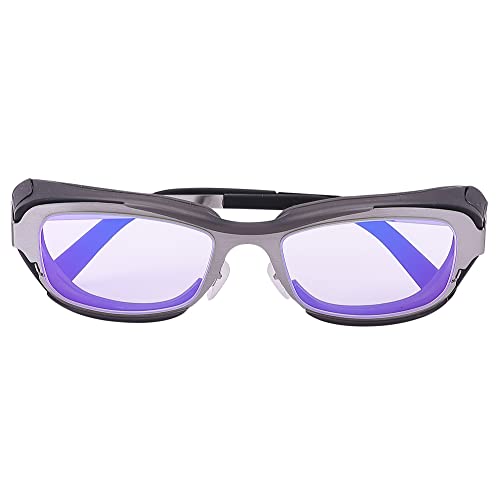
Eyes Moisturizing Effect : Our glasses adds a physical moisturizing silicone ring to slow down the evaporation of moisture in the eyes and effectively solve the problem of dry eyes.The humidity and temperature of the water box can be adjusted by filling the reservoir with water, heating and freezing the Tourmaline.

TAHOE EDITION: Inspired by crystal-clear water of Lake Tahoe, these GUNNAR glasses represent the pinnacle of engineering and the best optical materials on the market

SIZING INFORMATION: This frame size is Medium with a hinge to hinge measurement of 129 mm. Ideal for average faces.
Creating a Comfortable Gaming Setup
So, let’s talk about creating a comfortable gaming setup. It’s not just about getting your hands on the trendiest gadgets; you’ve also got to think about ergonomics and taking care of your eyes. For instance, make sure your monitor is set up so that the top edge is at or just a bit below eye level. This way, you’re naturally looking down at about a 10-20 degree angle, which is way easier on your neck and eyes.
Now, think about where you’re sitting in relation to your screen. You want to be about an arm’s length away—roughly 50 to 70 centimeters. This distance helps keep eye strain at bay. Another cool tip is to use ambient lighting in your gaming space. If your screen is too bright compared to your surroundings, it can lead to glare and cause your eyes to feel fatigued much faster.
Don’t forget the 20-20-20 rule! Every 20 minutes, take a moment to look at something 20 feet away for about 20 seconds. It’s a simple way to give your eyes a little break. And if you really want to enhance your setup, consider adding some bias lighting behind your monitor. It softens the harsh contrast from your screen and creates a cozy ambiance for those long gaming sessions.
To further protect your eyes, consider using blue light blocking safety glasses during extended gaming to reduce eye fatigue and strain.
Now that we’ve set the stage for eye comfort, let’s explore how to adjust your gaming chair for optimal support!
Recommended Products

WHAT’S IN THE BOX - Includes one White and Color Ambiance 75" TV smart led light strip with mounting brackets designed for use on 75 inch TVs; Perfect for immersive gaming and TV watching experiences

Compact Size, Big Soundstage: 64W peak power, 32W RMS and virtual 7.1 surround sound (via USB connection and HECATE software on PC) deliver explosive bass and precise enemy positioning for PC/PS5/Xbox gaming. 3-inch full-range drivers with dual bass reflex boost cinematic immersion.

[Space saving & Patented Clamp Design] The patented clamp design allows the light bar stably placed on the monitor, thereby declutter and free up desk space. The led light is perfect for monitors with a thickness from 1-3cm and is compatible to extra-wide and curved monitors from 1800R and above
Tips for Reducing Blue Light Exposure When Gaming
Hey there! So, now that we’ve got our comfy gaming setup sorted, let’s chat about something really important—blue light exposure. That’s right, those blue light waves from our screens can lead to eye strain, especially during those long gaming marathons. A simple fix is to invest in some blue light blocking glasses; they’re designed to filter out that annoying light and make your sessions a lot more enjoyable.
Another quick tip is to tweak your screen’s color temperature. Aim for around 6500 Kelvin; it creates a cozy viewing experience that can help cut down on blue light intensity. Plus, don’t forget to adjust the screen brightness to something comfortable for your eyes. And here’s a little reminder: use the 20-20-20 rule. Every 20 minutes, look at something 20 feet away for 20 seconds—it’s a super easy way to give your eyes a break!
Lastly, think about adding some ambient lighting with a monitor light bar. It really can help reduce glare and make those long gaming sessions a lot easier on your eyes. Looking after our vision is so important, don’t you think? Using blue light glasses with UV400 protection is a great step in enhancing your eye comfort during screen time. Speaking of which, let’s move on to how to set up your gaming space for ultimate comfort!
Recommended Products


MATERIAL: Crafted from premium acetate frames for cloud-like comfort that you'll forget you're wearing

GUNNAR produces the only blue light blocking computer and gaming glasses with Patented Lens (#9417460) Technology that is recommended by doctors to protect and enhance your vision.
Identifying Symptoms of Eye Strain and When to Consult a Professional
You know, it’s really easy to miss the signs of eye strain, but it can be super annoying when your eyes aren’t feeling quite right. If you’ve ever experienced dry eyes, blurred vision, or those pesky headaches after staring at a screen for too long, you’re definitely not alone. It’s a good idea to check how your lighting is set up and remember to take regular breaks—like looking away from your screen every 20 minutes for at least 20 seconds, just to give your eyes a little rest.
But if you’re finding that bright lights are bothering you more than usual or you have ongoing discomfort, that’s a signal to see a professional. It’s tempting to brush off these symptoms, but avoiding them might lead to bigger problems down the line. If your symptoms stick around for more than a couple of days or get worse even after you’ve adjusted your setup, booking an appointment with an eye care specialist is a smart move. They can help ensure your eyes stay healthy and comfy in the long run. It’s better to be safe than sorry when it comes to your vision! Using blue light glasses can also significantly help reduce eye strain and improve comfort during screen time.
Long-Term Habits to Maintain Eye Health While Gaming
Hey there! If you’ve noticed some eye strain while gaming, it’s definitely time to think about some long-term habits to keep those peepers happy. One great tip is the 20-20-20 rule—every 20 minutes, take a 20-second break to look at something about 20 feet away. Believe me, just pausing for a moment can make a big difference in how your eyes feel!
Another simple adjustment is to keep your screen about an arm’s length away. This helps reduce the effort your eyes have to make when focusing. And don’t forget about your room lighting! Ideally, you want to have it around 6500 Kelvin, which is close to natural daylight. It’s all about finding the right balance to avoid harsh glare on your screen.
Taking regular breaks every hour is also super important—aim for 5 to 10 minutes each time. And if you haven’t tried blue light filtering glasses yet, they can really help reduce eye fatigue. With the availability of blue light glasses that block up to 99% of harmful blue light, this simple accessory can significantly improve your visual comfort. With just a few changes to your gaming setup, you can create a more comfortable environment for your eyes. Now that your vision is taken care of, let’s talk about the best ways to stay active while gaming!
Frequently Asked Questions
What Is the 30 30 30 Rule for Screen Time?
Ever feel the weight of screen fatigue? The 30-30-30 rule suggests after 30 minutes, we look 30 feet away for 30 seconds. It’s essential for our vision health and complements eye exercises amid glowing displays.
Does 240HZ Reduce Eye Strain?
Yes, a 240Hz display technology improves our gaming performance by reducing motion blur and screen flicker. These refresh rate benefits enhance visual comfort and color accuracy, lessening eye fatigue and supporting overall eye health during intense video games.
What Is the 20-20-20 Rule for Gaming?
The 20-20-20 rule helps our eye health by advising us to look at something 20 feet away for 20 seconds every 20 minutes. It combats digital fatigue and promotes better visual comfort during intense gaming sessions.
What Screen Setting Is Best for Eyes?
We recommend optimizing screen brightness and color contrast, using the right resolution settings and refresh rate. Additionally, adjusting monitor distance, applying blue light filters, and ensuring proper font size can further reduce eye strain in our gaming setup.