As an Amazon Associate, we earn from qualifying purchases. Some links on this site are affiliate links at no extra cost to you. Our recommendations are based on thorough research and editorial judgment.


Computer Vision Syndrome: Symptoms, Causes, and Prevention

Computer Vision Syndrome (CVS) affects many of us who stare at screens for hours. Symptoms like eye strain, blurred vision, and headaches can feel mind-blowing. They often pop up after just a couple of hours! The main culprits include glare, reduced blinking, and poor posture. To combat these issues, we can follow the 20-20-20 rule, adjust our screen placement, and make regular eye check-ups a priority. Stick around, and we’ll uncover more strategies to keep our eyes feeling great!
Key Takeaways
- Computer Vision Syndrome (CVS) causes symptoms like eye strain, blurred vision, headaches, and neck tension after prolonged screen use.
- Key symptoms include dry eyes, blurred vision, headaches, light sensitivity, and neck and shoulder discomfort.
- Prolonged screen time, glare from lighting, infrequent blinking, and uncorrected vision problems are primary causes of CVS.
- Effective treatments include eye drops, regular eye exams, adjusting screen distance, and following the 20-20-20 rule.
- Prevention strategies involve frequent breaks, proper screen positioning, softer lighting, good posture, and regular eye check-ups.
What Is Computer Vision Syndrome and Who Is Affected?
You may be interested


Hey there! Have you ever heard of Computer Vision Syndrome (CVS)? If you’re spending hours staring at screens—whether it’s for work, gaming, or even just scrolling through social media—you might be feeling its effects without even realizing it. Symptoms like eye strain, blurred vision, and headaches can sneak up on you after just a couple of hours in front of a computer or smartphone.
It’s surprising, but a lot of people today experience these symptoms, and it can really put a damper on your day. For example, have you ever been at work and noticed your eyes feeling tired or your head starting to throb after a long meeting? That’s CVS rearing its head. But don’t worry! Taking regular breaks—like the 20-20-20 rule, where you look at something 20 feet away for 20 seconds every 20 minutes—can make a big difference.
Besides that, simple adjustments to your workspace, like keeping your screen at eye level and using proper lighting, can help ease the strain on your eyes. Using blue light blocking glasses is another effective way to reduce eye strain during prolonged screen use. So while CVS might not cause long-term damage, it certainly can be bothersome. Let’s explore more about how we can protect our eyes while enjoying our tech!
Recommended Products


TAHOE EDITION: Inspired by crystal-clear water of Lake Tahoe, these GUNNAR glasses represent the pinnacle of engineering and the best optical materials on the market

MATERIAL: Crafted from premium acetate frames for cloud-like comfort that you'll forget you're wearing
Key Symptoms of Computer Vision Syndrome?

Hey! Have you ever heard of Computer Vision Syndrome? It’s something many of us deal with, especially since we spend so much time on our screens these days. When we focus hard on our devices, we often forget to blink, which leads to dry and irritated eyes. You might find yourself rubbing your eyes more after a long day at work or school.
Another common issue is blurry or even double vision after a few hours in front of a computer. It can be really annoying when your screen starts to feel like a puzzle you can’t quite solve! And let’s not forget about those pesky headaches that seem to sneak in from all that eye strain. Have you ever experienced tension in your neck or shoulders? That’s often because we’re not sitting properly while using our devices, which can create discomfort over time.
Oh, and have you noticed increased sensitivity to light? This can really complicate things, especially if you’re trying to work under fluorescent lights. It’s crucial to take breaks, practice the 20-20-20 rule—where every 20 minutes, you look at something 20 feet away for 20 seconds—and pay attention to your posture. Taking care of our eyes can significantly improve our daily lives and keep Computer Vision Syndrome at bay! Wearing blue light glasses can also help reduce eye strain and protect your vision during prolonged screen time.
Recommended Products

GUNNAR produces the only blue light blocking computer and gaming glasses with Patented Lens (#9417460) Technology that is recommended by doctors to protect and enhance your vision.

✅Eyes Moisturizing Effect : Our glasses adds a physical moisturizing silicone ring to slow down the evaporation of moisture in the eyes and effectively solve the problem of dry eyes.The humidity and temperature of the water box can be adjusted by filling the reservoir with water, heating and freezing the Tourmaline.

TRANSFORM YOUR SLEEP & HABITS: The Hack Your Sleep Bundle. Say Goodbye to Sleepless Nights and Bad Habits. Are you struggling with poor sleep and unproductive habits? Our exclusive bundle combines the transformative power of Swanwick Sleep’s Night Swannies and the ‘47 Day Habit Hacker’ program.
Primary Causes of Computer Vision Syndrome?
Hey there! Have you ever heard of Computer Vision Syndrome (CVS)? It’s becoming quite the issue for many of us, especially since we often find ourselves staring at screens for more than two hours in a row. That long screen time really strains our eyes, leading to what we call digital eye strain. When we’re looking at those pixelated images, it can feel like our eyes just can’t catch a break.
You know how bothersome glare from a window can be when you’re trying to read a book? Well, apply that idea to your screen, and you get a similar effect. Not to mention, many people forget to blink often while using their devices, which can dry out our eyes and add to the discomfort. If you’ve got any uncorrected vision issues, those just worsen the situation. All these factors come together, creating a perfect storm of symptoms that are part of CVS—like headaches, blurred vision, and dry eyes. Using blue light glasses can help reduce eye strain and improve comfort during extended screen time.
Recommended Products
▶【New choice projector screen for UST Laser projectors】The screen material with special optical sawtooth structure and the light-rejecting filter to give a stunning performance in CEILING AMBIENT LIGHT. because the UST ALR material use a special optical serrated structure and a light suppression fitter; so the projected light will be effectively reflected to the viewer, and the ceiling light will be blocked or absorbed;(Not Compatible for the projector suspended installed!)
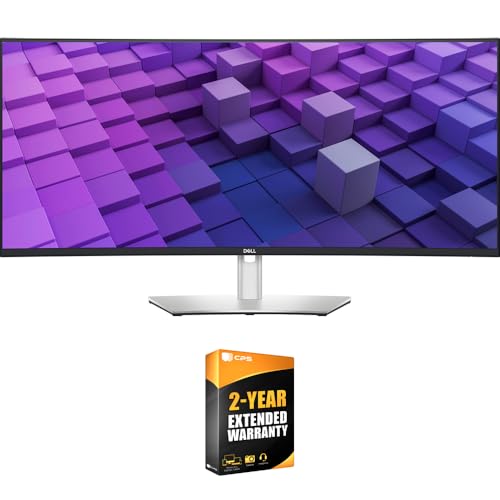
DELL USA AUTHORIZED - Includes 2 Year Extended Protection Plan in ADDITION to the Included FULL Manufacturer Protection

Digital professional stereo microscope with boom stand has long working distance to enable users to perform work or manipulate large items, including circuit boards and dental appliances, and has a 5MP camera with reduction lens and USB 2.0 output for capturing or displaying images on a computer or projector
Effective Treatments for Computer Vision Syndrome?
Hey there! You know those long hours we spend staring at screens? They can really mess with our eyes, leading to what’s known as Computer Vision Syndrome (CVS). It’s uncomfortable, but the good news is, there are some effective treatments that can help ease those annoying symptoms.
First off, let’s talk about dry eyes. If you find that your eyes feel like the Sahara Desert after a day of work, consider using artificial tears or eye drops. They’re super easy to use and can provide quick relief. Also, don’t skip those regular eye exams. They’re essential for getting specialized glasses designed specifically for computer use—trust me, your eyes will thank you!
Now, let’s make sure your workspace is comfortable. Keep your computer screen about 20-28 inches away from your eyes and adjust it so it’s slightly below your eye level. That small change can make a big difference in reducing strain. And here’s a tip you can easily remember: follow the 20-20-20 rule. Every 20 minutes, look at something at least 20 feet away for at least 20 seconds. It’s a simple way to give your eyes a little break. If you’re still experiencing issues, vision therapy might be worth considering—it helps train your eyes and brain to communicate better. Using blue light blocking glasses can also help reduce eye strain by filtering harmful light emitted from screens.
Recommended Products


Benefits: Wear Sunset Lenses between sunset and bedtime. Experience newfound relaxation in the evening, fall asleep more easily, sleep more deeply, and wake up with more energy. Customers who wear sleep tracking devices consistently report significant improvements in their sleep scores when wearing Ra Optics.
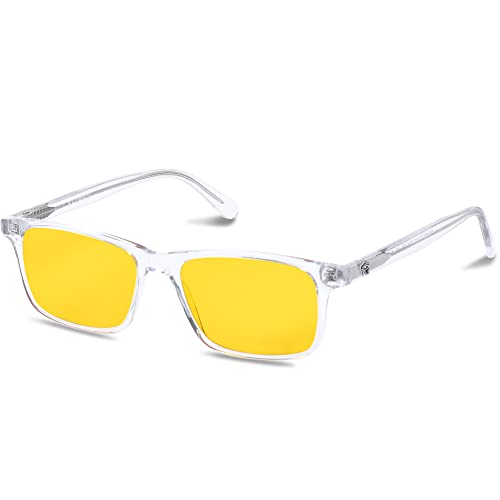
Benefits: Wear Daylight Lenses whenever you are exposed to man-made light sources during the day, whether you are on the computer, at the office, or at school. Eliminate eye strain, headaches, and afternoon fatigue. Calm your mind, boost your focus, and increase your productivity.
Preventing Computer Vision Syndrome Symptoms
Hey there! You know, while working at a screen can be super important for getting things done, it can also make our eyes feel tired and strained, a lot like they’re ready to give up on us. To help prevent computer vision syndrome symptoms, there’s this great little tip called the 20-20-20 rule. Basically, every 20 minutes, take a quick 20-second breather and look at something about 20 feet away. It’s a simple way to give your eyes a break.
Also, think about how you set up your workspace. Position your screen about 20 to 28 inches from your eyes and tilt it slightly down so it’s 15 to 20 degrees below eye level. This can really help ease the strain! You might even try using softer light bulbs to reduce glare; I’ve found that switching to LED lights makes a big difference in comfort. And remember, sitting up straight with your feet flat on the ground and your arms supported can make a world of difference in how you feel throughout the day.
Lastly, it’s a good idea to see an eye doctor regularly for check-ups. Catching any minor problems early can save you a lot of trouble down the line. For added protection, consider wearing blue light glasses that filter harmful rays and reduce eye fatigue. So, now that we’ve covered some eye care basics, what else can we do to stay comfortable while working? Let’s explore some ways to improve our overall workspace!
Recommended Products

Tom Ford Blue Light Block Sport Men's Eyeglasses FT5939-B 001 52
Frequently Asked Questions
Can Children Also Experience Computer Vision Syndrome Symptoms?
Yes, children can experience computer vision syndrome symptoms due to increased child screen time. We should encourage preventive measures, like eye exercises, outdoor activities, and proper technology habits, to support their vision development and educational impact.
Is There a Connection Between CVS and Other Health Conditions?
Just like a tree can suffer from various pests, our eyes can face multiple issues linked to eye strain, digital fatigue, and posture problems, leading to dry eyes, blurred vision, and mental fatigue affecting overall health.
How Does Screen Brightness Affect CVS Symptoms?
Screen brightness greatly affects our symptoms; excessive brightness can cause eye strain and discomfort. We should adjust brightness settings, reduce screen glare, consider ambient lighting, and maintain proper device distance for ideal visual comfort during screen time.
Are Blue Light Glasses Effective in Preventing Computer Vision Syndrome?
Sure, blue light glasses might not be superhero capes, but they can help reduce eye strain and glare during marathon screen sessions. With lifestyle changes, we can enhance visual comfort and potentially reap some health benefits.
What Workplace Adjustments Can Help Reduce CVS Risk?
We can reduce CVS risk by using ergonomic chairs, adjusting monitor height and screen distance, optimizing lighting and glare reduction, organizing our workstation, ensuring proper keyboard placement, taking regular eye breaks, and using corrective lenses.


